
Campaign Season 🎯
Understanding how your podcast promotion strategy is working at the 10,000 foot level is really important and tells you broadly how all your efforts are performing, but sometimes you need to dig a little deeper and see connected trends. Introducing PodCard Campaigns: a new way to organize your marketing analytics and gain insight into how your high-level strategies are performing.
What are Campaigns?
Campaigns are ways to group certain marketing activities that form part of a larger strategy. For example, if you are about to launch a new season of your podcast, you might have posts planned for your social accounts, a newsletter announcement, and a message for your Discord. While each of these are distinct platforms and require different approaches, they all form part of a logical whole. PodCard Campaigns are a way to tie all these activities together by generating special links that allow you to see how your Campaign is performing across platforms and mediums.
Campaigns 🤝 Paid Promotion
PodCard Campaigns are especially useful for paid promotion. If you are running ads on Google and Facebook for your podcast, it's super important to know how each is performing and which is boosting listener acquisition for the lowest cost. Campaigns are a way to segment these two analytics streams on your dashboard and gain insight into how much awareness, engagement, and conversions each are generating. You can then use this data to refine your approach, adjust your budget split, and decrease your cost per new listener.
Getting Started with Campaigns
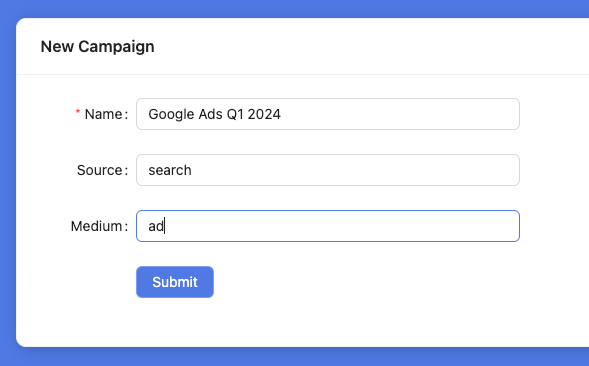
PodCard Campaigns are extremely easy to use and require minimal setup. All you need to do is create a Campaign on your PodCards dashboard and then select that Campaign when you go to share your PodCard link.
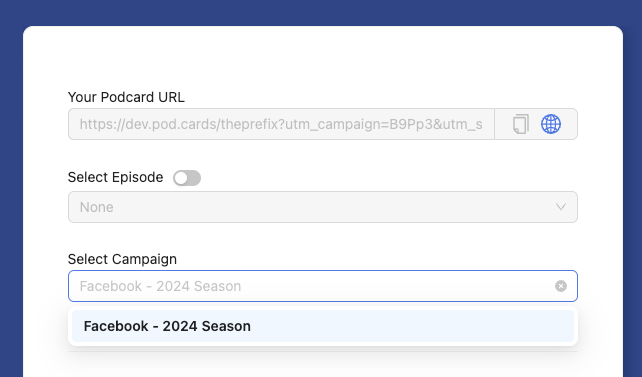
The link will now have a few more properties on it like utm_campaign, utm_source, and utm_medium. These are standard marketing attribution terms and will allow PodCards to distinguish between links you share and segment your stats by Campaign. You can create as many Campaigns as you like and may find it particularly useful to compare Campaign performance across time. For instance, you may run a January Campaign on Google Ads and then another over the summer. Being able to compare how each performed will give you invaluable insight into what is working, what is not, and how your strategy is improving over time.
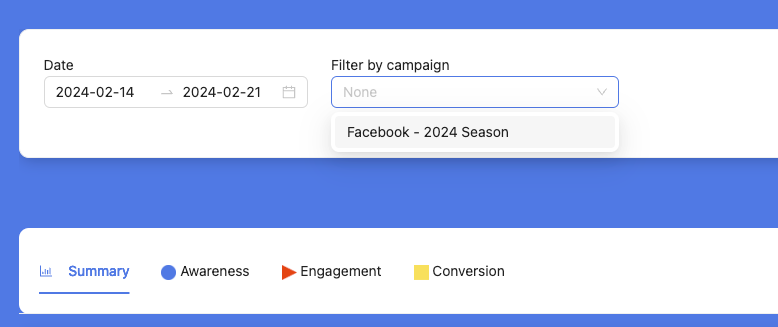
To get started with campaigns you just need to be on our Marketer plan and head over to the Campaigns section. That's it! You are now ready to start measuring listener conversions in a way that fits with the rest of your podcast promotion strategy.
Have questions? Let me know at tim@pod.cards
Tim